Retail and QSR
Promotional screens, menu boards, campaign loops, and store-group scheduling where content changes often and devices must be easy to replace.

Compact Android endpoints for digital signage players, kiosk screens, OTT/IPTV media, and distributed display networks—selected and validated for business rollouts, not consumer guesswork.
Start with our newest 4K Android 15 box when you need a clear commercial SKU for hospitality, entertainment or validated HDMI player programs.
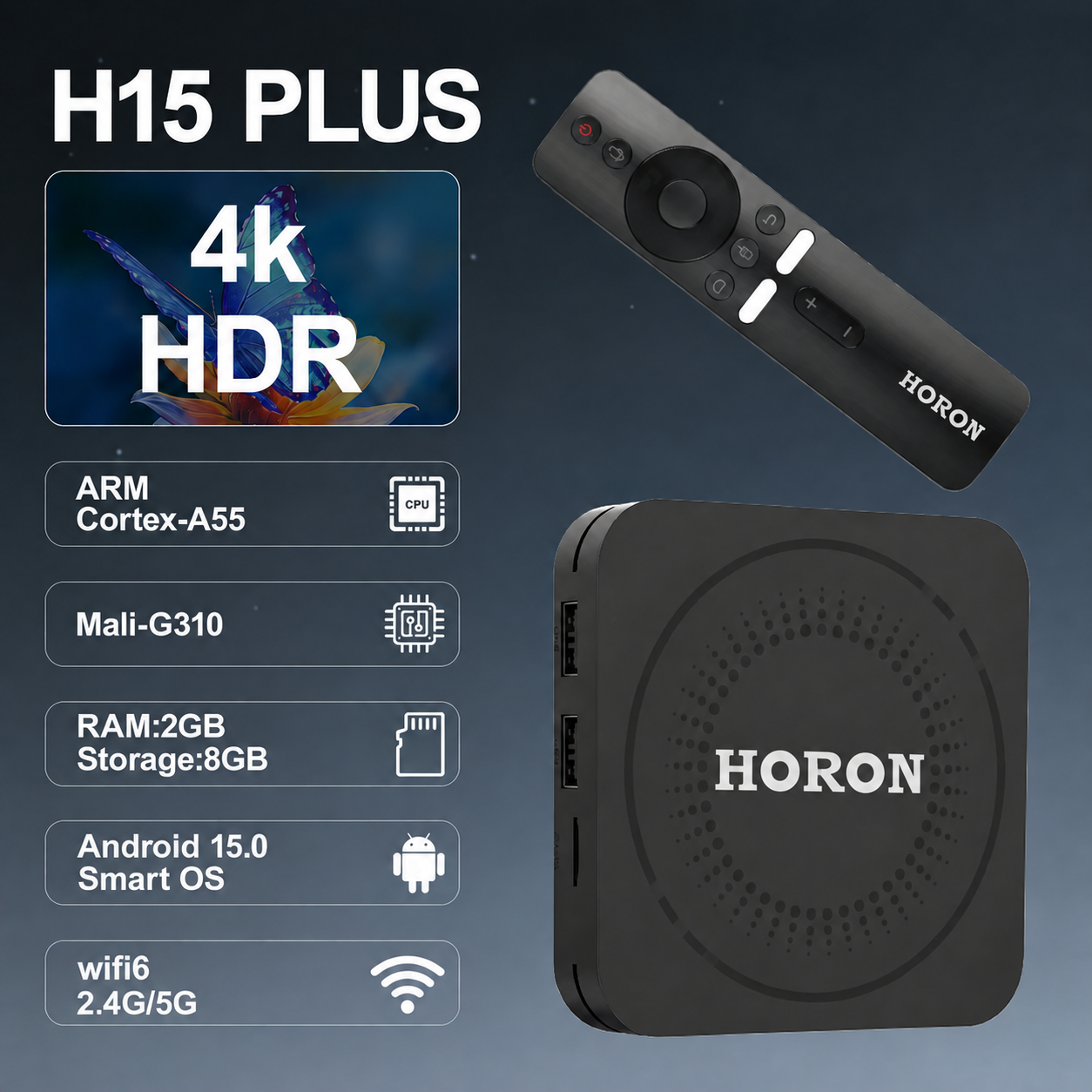
Android boxes and TV sticks are compact media computers that drive HDMI displays for commercial screen programs. In a business context they are not “set-top boxes for home TV” alone—they become signage players, kiosk brains, hospitality media devices, or managed endpoints that publish content on a schedule, boot into a controlled app, and recover cleanly when networks or power interrupt service.
Maram Technologies helps organizations select, validate, and deploy these endpoints as part of a wider stack: display hardware, network assumptions, signage or media software, optional DCM visibility, firmware behavior, mounting, labeling, and support handover. The goal is a device profile that is repeatable across locations—so the second hundred units behave like the first pilot batch.
Typical workloads include playlist-driven digital signage, locked kiosk experiences, OTT or IPTV guest entertainment, corporate lobby screens, restaurant menu boards, and multi-site promotional networks. Success depends less on brochure specs and more on how the device behaves under your content type, storage plan, Wi-Fi or Ethernet quality, thermal environment, and recovery expectations.
Because Android hardware varies widely by SoC, firmware maturity, HDMI stability, and update path, we treat selection as an engineering decision. A short sample validation against your software stack—whether Maram digital signage, a custom player, or an IPTV application—reduces costly field replacements later.
Screen networks also need an operating rhythm: who publishes content, who watches device health, who replaces a failed unit, and what “good” looks like after a power cut at midnight. Pairing endpoints with signage software and optional DCM visibility turns hardware from a one-time purchase into a managed display service your teams can run without constant heroics.
These endpoints fit programs where a display must show controlled content, stay locked to a workflow, or stream managed media across many sites.
Promotional screens, menu boards, campaign loops, and store-group scheduling where content changes often and devices must be easy to replace.
Lobby displays, event screens, guest information, and OTT/IPTV-style media endpoints that need stable HDMI output and clear support routines.
Internal communications, branch displays, waiting-area screens, and compliance messaging with role-aware publishing and remote visibility.
Announcement screens, wayfinding, exam notices, and department displays that benefit from centralized content control.
Informational displays, queue messaging, and non-clinical communication screens that need predictable boot and recovery behavior.
Locked Android experiences on external displays where users interact with a controlled app and should not reach system settings.
Hardware supply is first. Deployment readiness is what makes a screen network supportable at scale.
Match processor, RAM, storage, Wi-Fi, Ethernet, USB, and HDMI class to the media workload and mounting constraints.
Validate playback with cloud signage platforms, media libraries, playlists, and scheduling workflows before bulk procurement.
Plan boot-to-app, locked launchers, settings restrictions, and recovery paths for public or semi-public screens.
Review codec needs, streaming stability, remote/control assumptions, and guest or tenant content models where relevant.
Align boot behavior, update strategy, app compatibility, and device-control assumptions with your software stack.
Prepare naming, labeling, power, network notes, mounting guidance, and a clear replacement model for operations teams.
Sample validation against your player, content, and network reduces surprises after devices reach stores, campuses, or branches.
A documented device profile—ports, power, Wi-Fi/Ethernet, app package, and setup steps—helps installers work consistently.
When endpoints are standardized, support teams can troubleshoot by known patterns instead of one-off consumer gadgets.
Pair devices with digital signage and optional DCM workflows so content, inventory, and support stay connected.
Compact boxes and sticks are easier to swap than all-in-one panels when a unit fails, provided naming and config are documented.
Where standard Android is not enough, programs can extend into custom firmware and launcher work for tighter control.
Exact SKUs vary by project. Use this table as a planning checklist when comparing Android boxes and sticks for commercial use.
| Compute & memory | Match SoC and RAM to video resolution, playlist complexity, browser or player app load, and concurrent decoding needs. |
|---|---|
| Storage | Size and endurance for offline media caches, app packages, logs, and local fallback content during network outages. |
| Display output | HDMI stability, resolution targets, CEC or control needs, and cable or adapter constraints at the mounting point. |
| Connectivity | Wi-Fi band support, Ethernet preference for critical screens, USB accessories, and site network VLAN assumptions. |
| Form factor | Box vs stick trade-offs for heat, mounting space behind displays, theft risk, and service access. |
| Software stack | Signage player, IPTV/OTT app, kiosk launcher, MDM or DCM visibility, and remote update method. |
| Reliability behaviors | Auto-start on boot, app watchdog expectations, offline playback, and recovery after power or network loss. |
| Support model | Labeling, inventory, spare pool, RMA path, and who owns first-line troubleshooting at each site. |
We treat Android media hardware as part of an operating system for screens—not a one-time purchase.
Map screen count, content type, locations, mounting, power, network quality, and whether the use case is signage, kiosk, OTT/IPTV, or mixed.
Shortlist box or stick profiles that fit ports, performance, thermal limits, and software compatibility assumptions.
Run sample units with your player or signage stack: playback, sync, kiosk lock, boot recovery, and basic support scenarios.
Document setup steps, device naming, network notes, accessories, and installer guidance for the first deployment wave.
Roll out in batches, confirm remote visibility where used, and capture field feedback before larger volume orders.
Maintain a spare strategy, issue patterns, firmware coordination notes, and improvement ideas for the next batch.
We do not publish fixed device prices because SKU, volume, customization, and support scope change the commercial model. These factors usually matter most.
Higher RAM, storage, Ethernet, and media performance increase unit cost; overspecifying unused capability also wastes budget.
Pilot quantities differ from multi-site programs. Phased buying after validation often beats a single untested bulk order.
Standard Android differs from locked launchers, custom boot behavior, or AOSP-style customization scoped under a separate engagement.
Power adapters, mounts, HDMI cabling standards, labeling, and spare units affect landed program cost.
Sample testing, image preparation, documentation, and installer training are project services—not invisible free extras.
Remote troubleshooting help, RMA coordination, and ongoing firmware advice should be scoped honestly up front.
Share your signage, kiosk, or OTT/IPTV requirements—device profile, locations, and software stack—and Maram will help you plan a supportable rollout.
Contact Maram